📄 PDF Merger & Splitter
Merge, split, rotate, reorder and remove PDF pages in one place — processed entirely in your browser, your files never leave your device
Drag & drop one or more PDF files here
or
Add one PDF to split & organize it, or several to merge them. Up to 20 files, 100 MB each, 300 pages total.
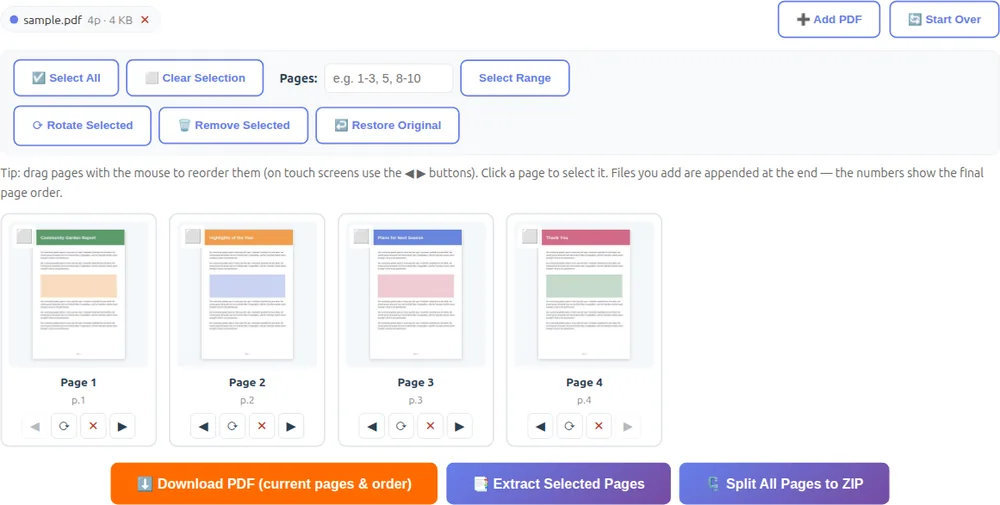
Tip: drag pages with the mouse to reorder them (on touch screens use the ◀ ▶ buttons). Click a page to select it. Files you add are appended at the end — the numbers show the final page order.
About the PDF Merger & Splitter
🔒 100% Private
Your PDFs are processed directly inside your browser using JavaScript. Nothing is uploaded — your documents never leave your computer or phone.
📚 Merge PDFs
Add two or more PDF files and they are joined in the order you add them. Rearrange, rotate or drop pages if needed, then download the combined PDF.
✂️ Split & Extract
Select pages by clicking them or typing a range like 1-3, 5, then extract them into a new PDF. Or split every page into its own PDF, downloaded together as a ZIP.
🔄 Rotate, Reorder & Remove
Rotate pages in 90° steps, drag them into a new order and delete the ones you don't need — perfect for fixing sideways scans or cleaning up documents.
📄 Original Quality Kept
Pages are copied into the output file without re-rendering or recompression, so text stays sharp and selectable, and images keep their exact original resolution.
🛡️ Password-Protected PDFs
Encrypted or password-protected PDFs can't be opened. Remove the password first, then add the file again.