How to password protect a PDF
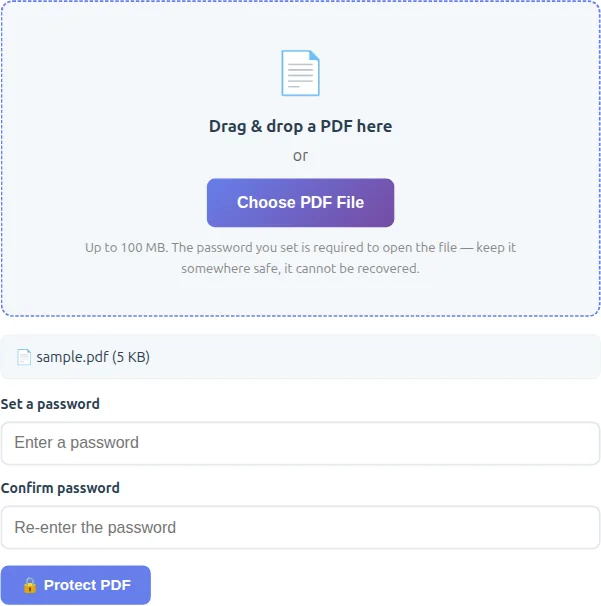
- Drop the PDF into the Protect box.
- Type a password twice.
- Click Protect PDF and download the encrypted file. Anyone opening it will need the password.
How to remove a PDF password
Drop the locked PDF into the Unlock box, enter its current password and download an unlocked copy — useful before merging, editing or converting it. This only works when you know the password; it is not a password cracker.
Choosing a good PDF password
- Use at least 12 characters — a few unrelated words make a strong, memorable password.
- Don't reuse a password from email or banking.
- Send the password separately from the file, for example by text message rather than in the same email.
- Keep it somewhere safe: an encrypted PDF can't be opened without it.
Frequently Asked Questions
How do I put a password on a PDF for free?
Drop the PDF in the Protect box, enter a password twice and download the protected file — free, no sign-up.
Is the encryption real?
Yes. It applies standard AES PDF encryption, which Adobe Acrobat and other PDF readers recognise — the file can't be opened without the password.
Can you remove a password I've forgotten?
No. The unlock option removes a password only when you enter it correctly. There is no way to recover a forgotten password here.
Is my PDF uploaded?
No. Encryption and decryption happen in your browser, so the PDF and the password never leave your device.